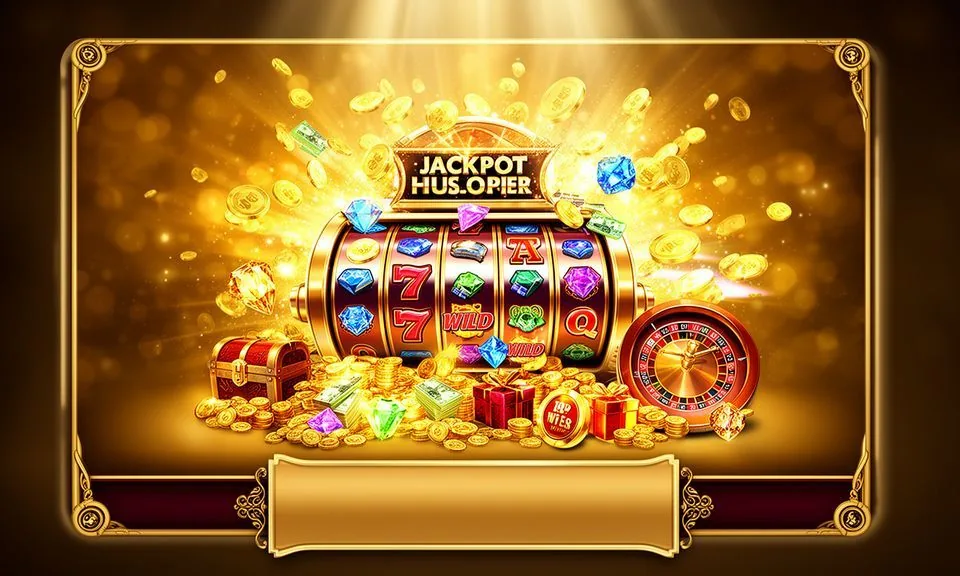
The 88kg lobby loads directly in your mobile browser — slots, live tables, crash games and cricket sportsbook all accessible from a single session without installing anything. Check the current domain for the latest access path available in your eligible region.
When you open 88kg in a mobile browser, the navigation adjusts to your screen size so the category rail, account icon and wallet tab are all within thumb reach.
BROWSER FEATURE SNAPSHOT
Mobile Access Features Worth Knowing
Four things stand out about how the 88kg mobile browser experience is put together. Each feature below reflects what the rendered site currently delivers — nothing inferred from a native app that has not been confirmed on the published domain.
Responsive Navigation Rail
The category bar at the top of the mobile page reorganises into a horizontal scroll row so you can move between slots, live casino, crash games and the cricket sportsbook without needing a full menu open. Everything stays in one scrollable strip.
Account Access Stays Live
Your signed-in session persists as you move between game lobbies, your wallet tab and the support section. You do not get logged out when you switch categories — the account state carries across the full browser session on your device.
Game Discovery by Studio
The lobby lets you filter by content studio — Habanero, Spadegaming, JDB, PlayStar and Joker are the verified studios on site. Browsing by studio on mobile delivers the same filtered row view you would see on a wider screen, just scrolled vertically.
Help Pages Load In-Browser
Support and account help routes are accessible from within the same mobile browser session. You do not need a separate app or window to reach the published help content — the menu path from any game page takes you there directly without losing your session.
ACCESS IN THREE STEPS
Mobile Access in 3 Steps
Getting the 88kg lobby onto your phone takes three straightforward moves in your browser — no file downloads, no store permissions needed at this stage. Start with a stable mobile connection; the lobby pages are built to handle the kind of variable bandwidth that is normal across Bangladesh networks, but a stronger signal makes the live table tiles load noticeably faster.
Open the Current Domain
Type the 88kg address directly into your mobile browser or use a verified link from the official site communication. Confirm you are on the correct domain before entering any account details.
Check Browser Compatibility
The site renders in current versions of Chrome and Safari on Android and iOS. If the layout appears broken, try refreshing or clearing cached data in your browser settings before contacting support.
Sign In to Your Account
Use the account icon in the top navigation to reach the login screen. Enter your registered email and password. Once authenticated, your wallet balance and game lobby appear immediately in the same browser window.
Browse and Explore
From the authenticated home screen, the category rail is visible above the game rows. Select slots, live casino or the sportsbook section to start browsing. Your account state and wallet tab remain accessible from any category page.
DEVICE COMPATIBILITY CHECK
Which Devices Work With 88kg
Compatibility depends on what your mobile browser currently supports, not on a specific operating system version or hardware spec. The checklist below covers what to verify on your own device before you open a live table or start a session in Desert Diamond Slots or Crash Bangladesh Arena.
Browser Version
Use an up-to-date version of Chrome on Android or Safari on iOS. Older browser builds may not render the game canvas or account wallet correctly. Updating through your device's app store takes care of this in most cases.
Screen Layout Behaviour
The lobby is built on a responsive grid that adapts to screens ranging from compact Android handsets to larger tablet displays. Portrait mode works for browsing; some live table games may suggest landscape for a wider view.
Account Requirements
A registered and verified 88kg account is required before any game or wallet feature is accessible on mobile. Account creation goes through the same email login flow regardless of whether you are on desktop or mobile.
Network Conditions
The site functions on standard 4G and stable Wi-Fi connections common across Bangladesh. If a live table stream drops, check your signal first — the reconnect option on the game screen will reload the stream without closing your session.
Published Device Guidance
For the current list of supported browsers and any device-specific notes, check the help section accessible from the main navigation. This is updated when the site configuration changes rather than being a fixed spec.
MOBILE HELP ROUTES
Getting Help While on Mobile
If something does not load correctly or your account needs attention while you are browsing on mobile, the support routes published on the 88kg site are reachable from within your browser session.
In-Browser Help Section
The help pages are linked from the main mobile navigation menu. They cover account access, wallet queries and session issues. Open the menu from any page on the site and follow the help path shown — no separate app or login is needed to reach them.
Account Area Contact Path
Once signed in, your account area shows the currently published contact options for the support team. This is the place to raise wallet questions, access issues or anything related to your 88kg account — check the contact details listed there directly.
Published Support Channel
88kg publishes its active support channel on the site. The specific route — whether live chat, email or another method — is shown on the contact page. Use only the contact details listed there to avoid misdirected queries or phishing risks on mobile.
ACCESS TRUST CHECKS
Staying Safe on Mobile With 88kg
Mobile access introduces a few extra points worth checking to keep your account secure. None of these require additional tools — they are habits that follow directly from how the 88kg site is structured and how account recovery works when accessed from a phone.
Verify the Domain First
Before entering your account credentials, confirm the browser address bar shows the correct 88kg domain. Phishing pages sometimes mimic lobby layouts — checking the URL takes two seconds and removes that risk entirely on any mobile browser.
Review Published Device Guidance
The site publishes guidance on supported browsers and access steps. Reading this before your first mobile session tells you what the platform currently supports — and saves time if you run into a layout issue on an older handset or browser build.
Protect Your Account Credentials
Do not save your 88kg password in a shared browser profile or on a device others use. The account login screen does not currently advertise biometric login — use the published email and password route and keep those details private to your device.
Use the Published Recovery Path
If you lose access to your account on mobile, use the recovery option shown on the login screen — do not contact unofficial channels. The recovery route is published on the site and is accessible even before you are signed in.
YOUR APP QUESTIONS
Questions About Accessing 88kg on Mobile
These are the questions that come up most when members start using 88kg on a phone for the first time. Each answer covers what is currently verifiable on the published site — not assumptions about app builds or features that have not been confirmed.
Does 88kg have a dedicated mobile app I can download?
There is no app-store listing currently published on the 88kg site. The confirmed access route is through your mobile browser at 88kg. If a native app build becomes available, the download instructions will appear on that domain — check the site directly for the latest status.
Which browsers work with 88kg on mobile?
Current versions of Chrome on Android and Safari on iOS both render the 88kg lobby correctly. If the page layout looks broken, update your browser through your device settings and reload. The help section on the site covers browser-specific notes if you run into anything unusual.
Can I access my wallet and account on mobile the same way as on desktop?
Yes — once you sign in through the mobile browser, your wallet balance, account history and the full game lobby are all accessible from the same session. The wallet tab is visible in the mobile navigation without needing to switch to a desktop view.
Will the live casino tables work on a slower mobile connection?
Live table streams depend on your connection quality. On a standard 4G connection common in Bangladesh, they load reliably. If a stream drops, the reconnect option on the game screen reloads it without ending your session. A stronger Wi-Fi signal makes the experience noticeably more consistent.
How do I recover my 88kg account if I am locked out on mobile?
The account recovery option is on the login screen — it is reachable even before you are signed in. Follow the steps shown there using your registered email. Do not use third-party channels or unofficial links; the published recovery path on 88kg is the only verified route.
Is the full game catalog available on mobile, including slots and cricket betting?
The complete lobby — including slots from studios like Habanero and Spadegaming, live casino tables, crash games and the cricket sportsbook — is accessible through the mobile browser. No category is locked to desktop only; the navigation rail on mobile surfaces every section available in your region.
 App / Slots